To start off with, looking back at the project there we a lot of things that went well. It’s a fulltime project so its different from before. It’s important to have good teamwork to avoid conflits inside the group, and I think we did that quite well. We started of good, and kept a good pace throughout the whole project. Everyone was really positive and our characteristics fitted good with eachother. I think we were pretty lucky with the group, because every one of us did what he or she wanted, and those were different roles. So we already had all the roles selected from the start. Everyone also eventually fulfilled their roles. Sometimes there were small miscomunnications which lead to small confusion in the team, but this was solved quickly.
I learned alot in this project. Because of the justifications lessons, we got feedback from the group. Everyone was very open to eachother, which was very important to get honest feedback. I learned my pitfalls, which weren’t obvious for me before. Reflecting and looking back at those pitfalls, I can see them clearly now. My motivation was high throughout the whole project, but in the end it did fall off. I felt like we didn’t get awarded enough for the work and dedication we put in. For example, when we compared to other groups we felt like the grades and feedback we got was shortcoming from what we deserved. I think the whole team agrees on that point. In the end it did in some way also help us put in a bit more effort and made us accept feedback even though we thought differently. In the end I did enjoy this project and would recommend this project for upcoming cmgt students.
Author: Sinan Al-Defa'i
Website 6 (CSS)
Sinan Al-Defa'iFor the last blogpost about the website I’ll be talking about the styling.
I did styling last because I felt it was the least amount of work at the start .Eventually this wasn’t true at all. Luckily I have alot of experience in css from previous projects, so that did help me quite a lot. To start off it was most important that everything was good responsive.
I could only test with two different devices, which none of was an Iphone. That’s why I did have some issues regarding safari on Iphone, but with some back and forth testing between team members’ phones I could solve most problems.
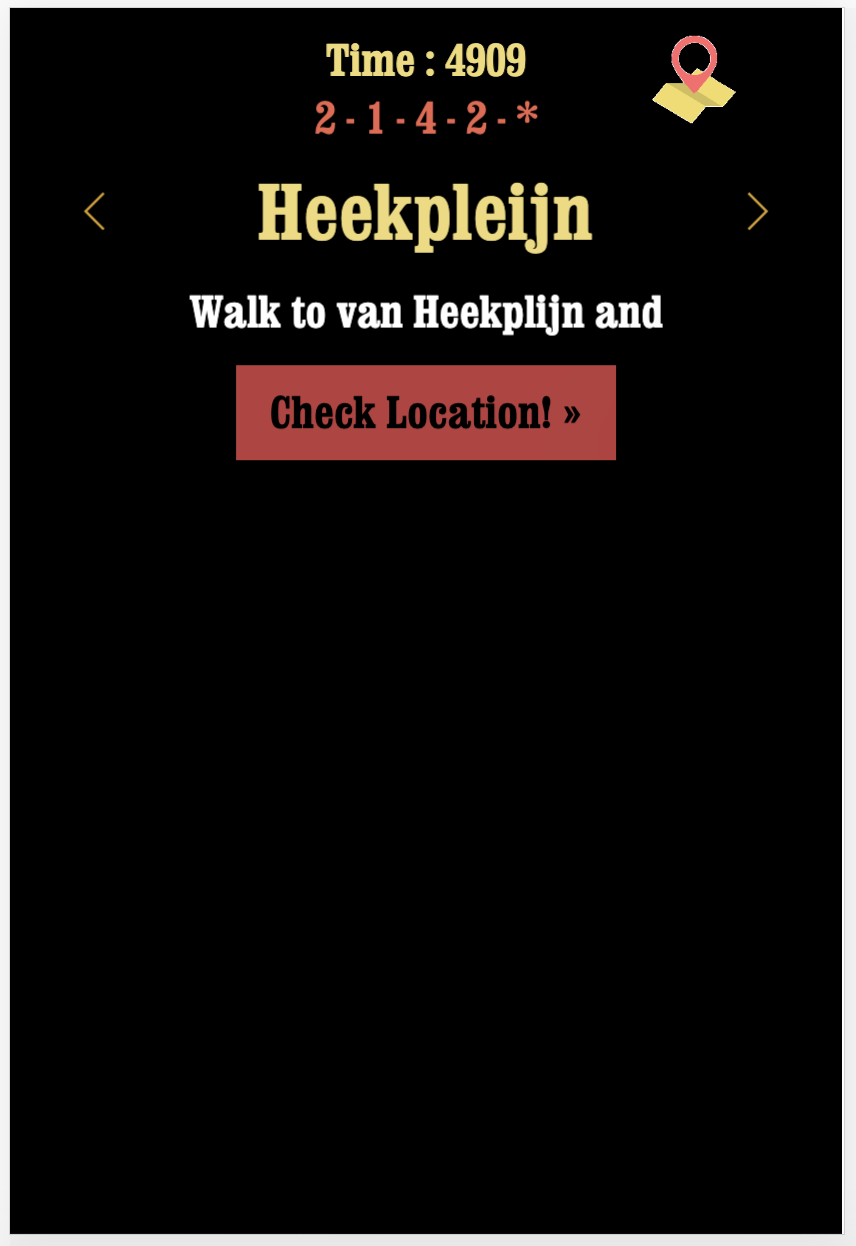
The slider was the most important thing to style, because it was important to have it fullscreen at all this. The time and code should always be visible so i had to give this division an absolute and stick it to the bottom or top. I first had it at the bottom, but I changed this eventually because we thought it was important for the time and code to be on top. The same thing for the map icon. If you click on the map icon a static image of the map of the city center of enschede. I did this with a lightbox plugin, because with some experimenting I found this was much easier.
There were a lot of components which had to be hidden and showed when you clicked a button, but i did this with the jquery css function. That covers pretty much the most important parts of the website. Of course there were still many small things that had to be done like the coloring and sizing.
Website 5 (PHP + Database)
Sinan Al-Defa'iIn the previous blog post I explained how I made a timer and saved this in a local storage.
Because I dont want to refresh the whole PHP page I also have to use AJAX to do a post request. When i press the finish button it has to do the post request so i’ll write that function first.
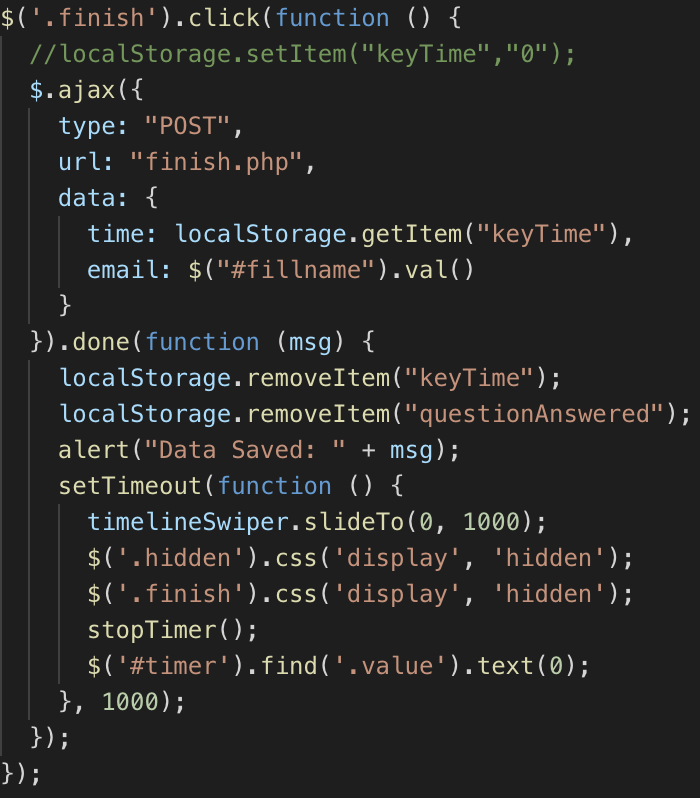
After the button is pressed, an ajax post request is made. I want 2 things to be sent to the database. The time in which he finished the game, and the email filled in the label. These have been passed to a seperate php file called finish.php. If it is done correctly the localStorage should be emptied, the user gets alerted in a way that the data has been saved succesfully. Then the timer has to be stopped, resetted and the slider has to go to the first slide to start again and the user now knows he/she is done.
In the finish.php file the data we just sent has to be written to the database. I have already made a database in mysql with some dummy data and 2 columns. One named email and one named time.
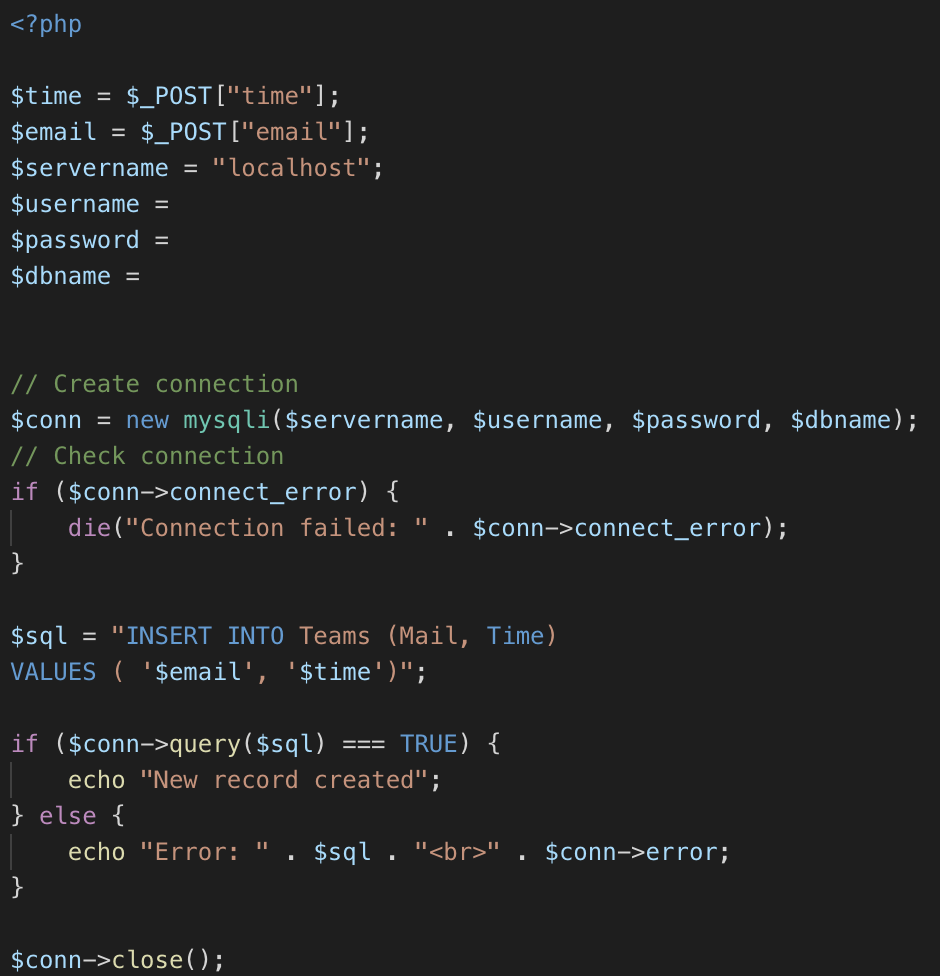
First i need to save the sent data to a variable $time and $email. Then we set the correct values for the variables to make a database connection.
I insert the data to the correct tables and send an echo back if this failed or succeeded.
Then i close the connection again.
Website 4 (Local Storage and Timer)
Sinan Al-Defa'iWhen we thought about the people walking through the city center of Enschede, there isn’t really a challenge. So we decided to add a timer. This timer should start when you stand in front of the installation and press the first button on the website. This timer should be visible at all times to see the time u have spent. You should also see the timer turning red when you answer the incorrect answer. I also want this timer to continue when you lock your phone and then continue. It’s also important to continue at the time you were before you refresh your page, or else you could cheat by resetting the time. Lets first show how we made a timer.
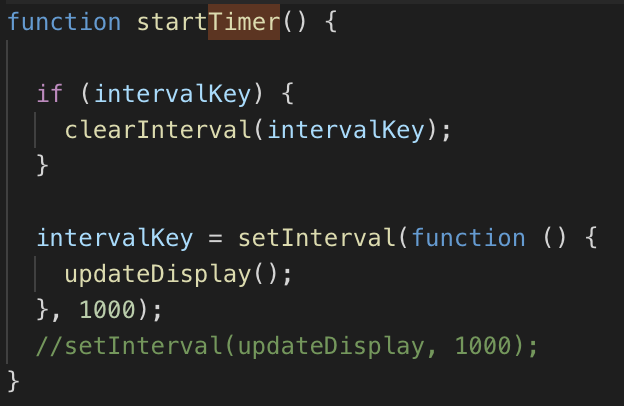
We then save this timer in a variable called value.
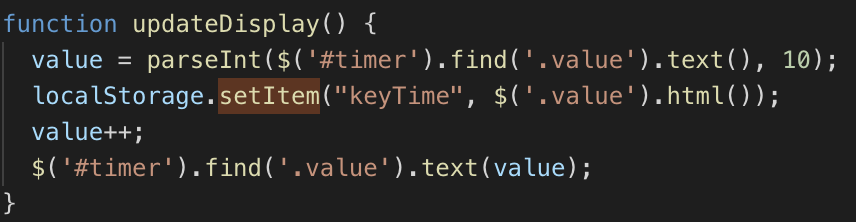
And after that we append this value to the div.
I did some research about the best way to save data locally on the device/browser. I looked into cookies and localstorage, and found that localstorage is better in this case. So now we also save the value in a localstorage. Now we always have access to timer if we need it.
The same thing i do for the slider. Every time a new slide appears i save the index of the current slider in a localStorage. When searching through the API documentation i found that there is an easy method to get the current slide index. When te page reloads the timer and slide should automatically continue where it was before reloading .
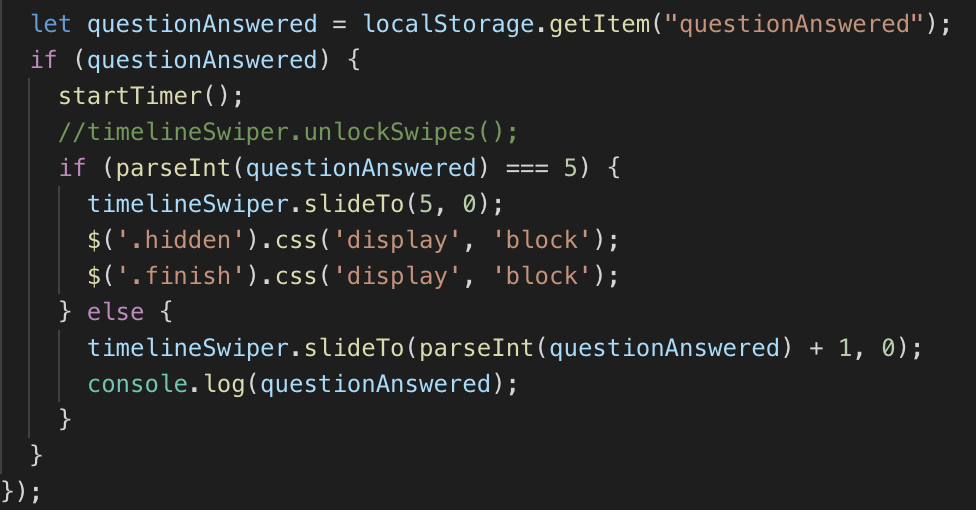
In the next blogpost i will explain how i saved the timer in a database through PHP.
Website 3 (Geolocation)
Sinan Al-Defa'iAs we described in the previous website blogpost I still had to check the user if he is at the right location before answering the question. The first problem i was facing was to how I get the user location. I tried different methodes including the Google API, but in the end there was something even better. It turns out you cant get someone’s location with the HTML 5 Geolocation function. It looked something like this.
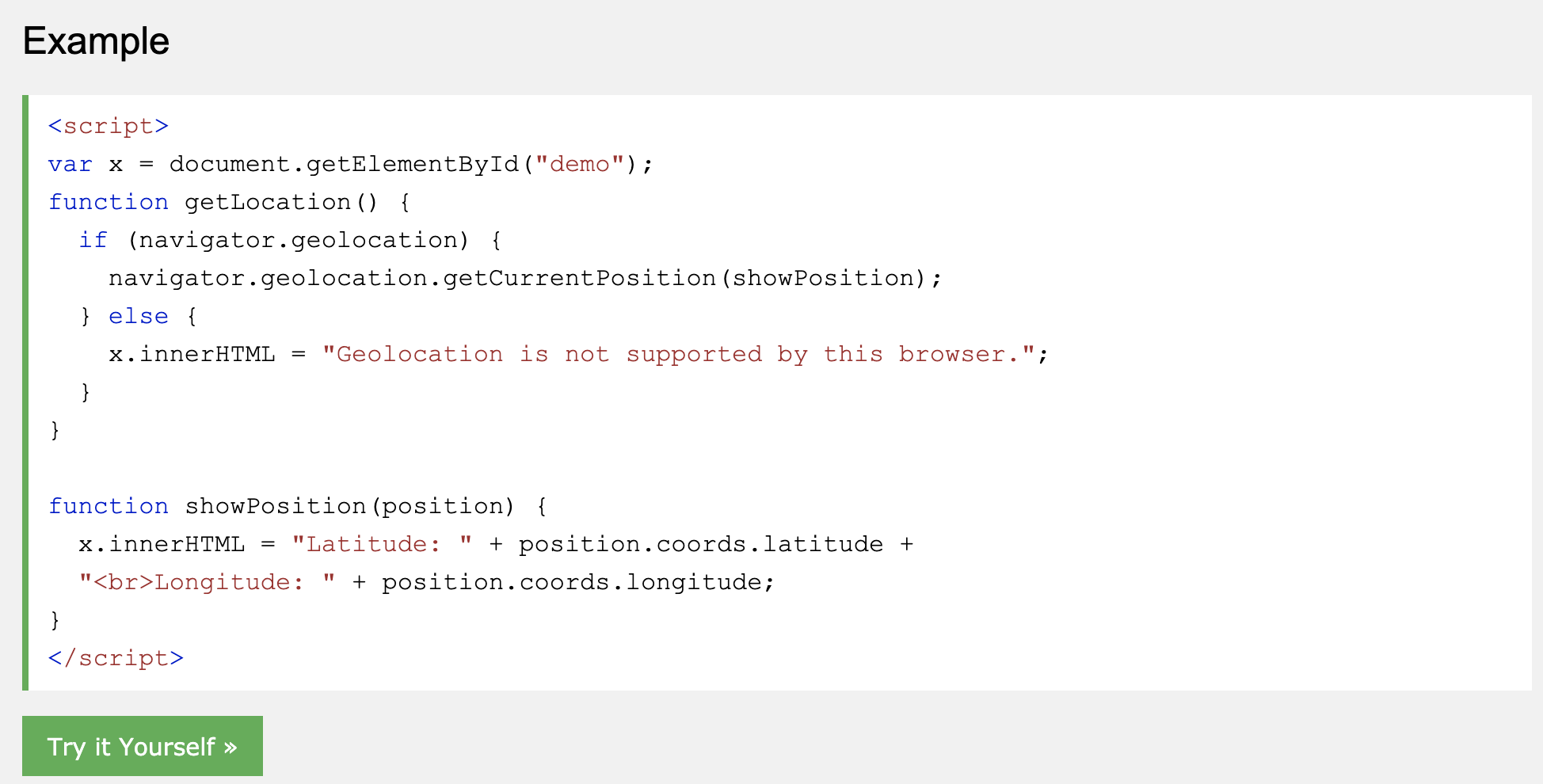
I had to change the showposition function to make add the long and lat to a global variable. This so i could get the long and lat everywhere, and i needed it later on in other functions.
Now that i got the long and lat of the users, i could compare it with the static longitudes and lattitudes. For example, I first had to get the exact location of the church (52.22141047907518, 6.895051449537277). This I could find in google maps. Then the last thing was compare the two. Unfortunately i had to write or find a function which could do that. After some research i found that there is a formula for that called the Haversine formula. I found alot of them and alot of them didn’t work. Until i found one that did work.
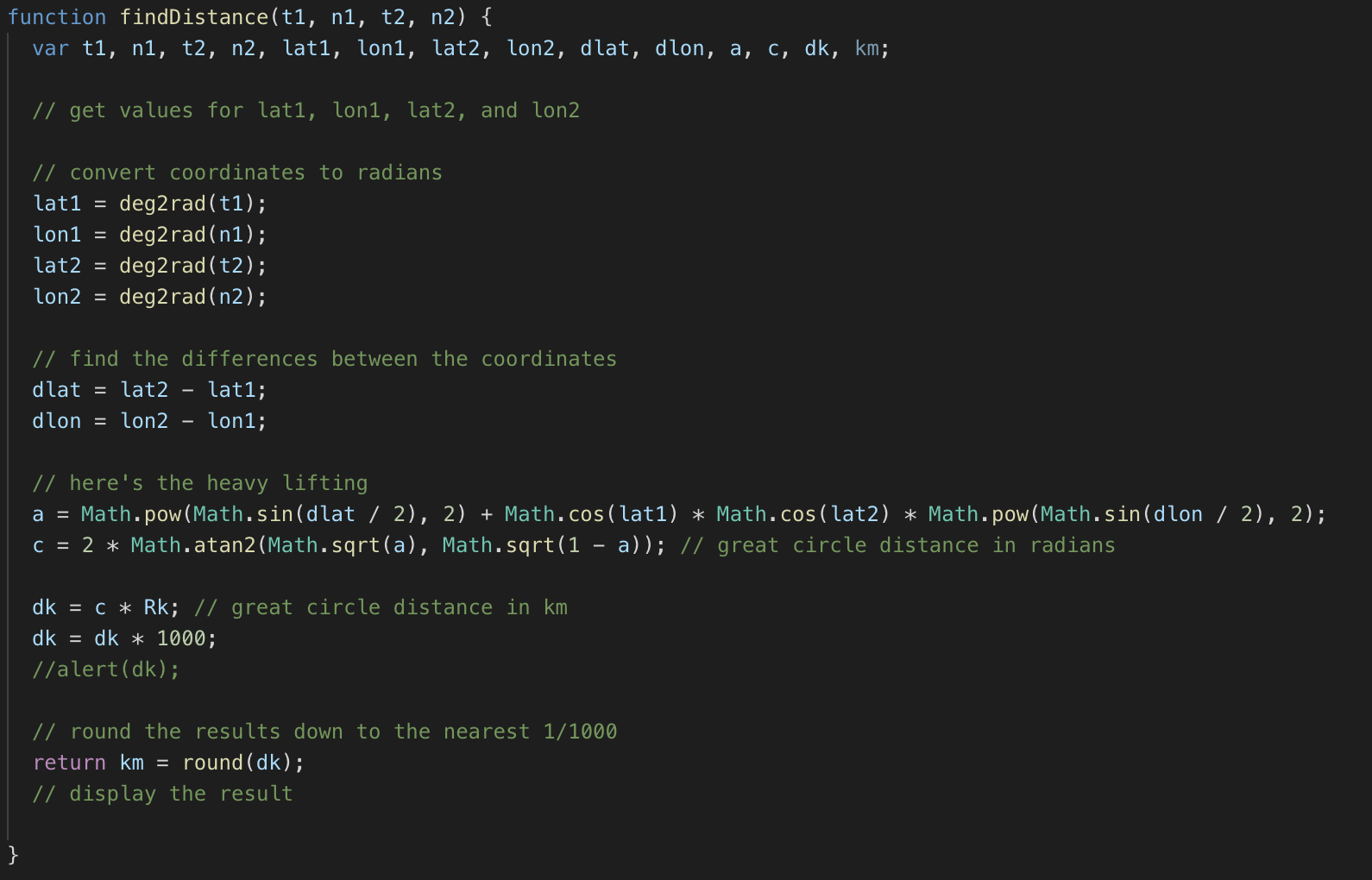
You had to give these 4 parameters to the function and it would return the distance in km. Which i then could multiply by 1000 to get in meters. Now i could just use the function to check if the user is 30 meters in reach of the church for example.

I made a button in every slide to check if the user is in reach.
In the next blog post i will talk about the Timer and saving it in a local storage.
Website 2 (Slider)
Sinan Al-Defa'iBecause of the fact that we wanted to use the idangerous swiper slider like you saw in the previous website blogpost, there were alot of functionalities to program. At this time i didnt know which ones i had to write myself and which one were built in. So the first problem we had was that there were multiple questions. We figured we wanted to do it so that you cant continue with the other questions untill you had answered the previous question correctly. You also shouldn’t be able to answer the question untill you are at the specific location. But i’ll cover that in the next blogpost. First thing i had to do right now is to lock the sliders and only make them unlocked when there is a button pressed. At first i tried to set the “display” of the arrows to “none”. But i soon found out that the default css of the slider overrides that and doesnt let you do that. So i checked the documentation of the slider and checked if there was a function to disable the slider arrows. https://idangero.us/swiper/api/ . After a lot of trying and asking Boris, i figured out how to lock the slider. Now i could move on to the next part. And that was to make the right answer to questions unlock the slider.
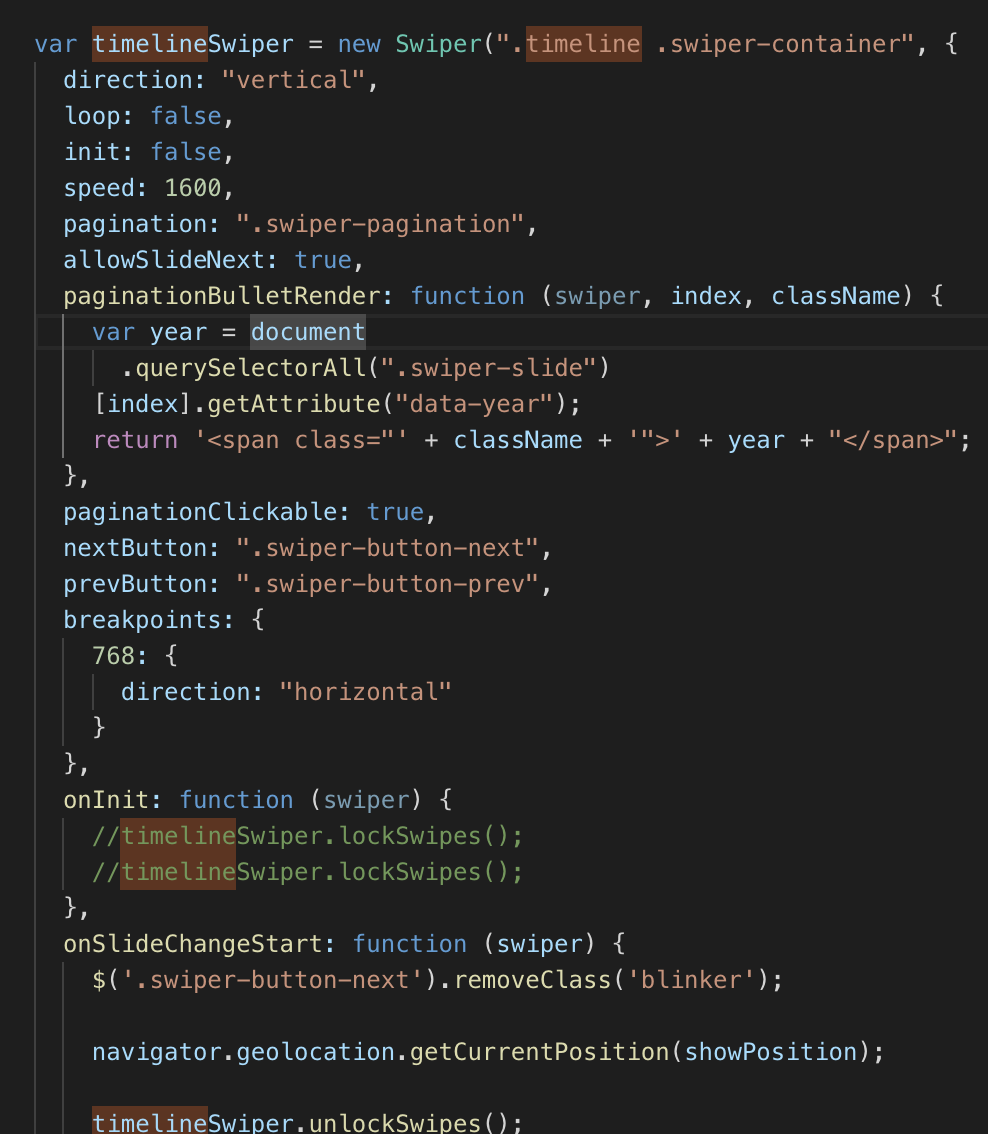
After initializing the slider and locking the slides, I made the questions on every slide. Then I made the quiz.
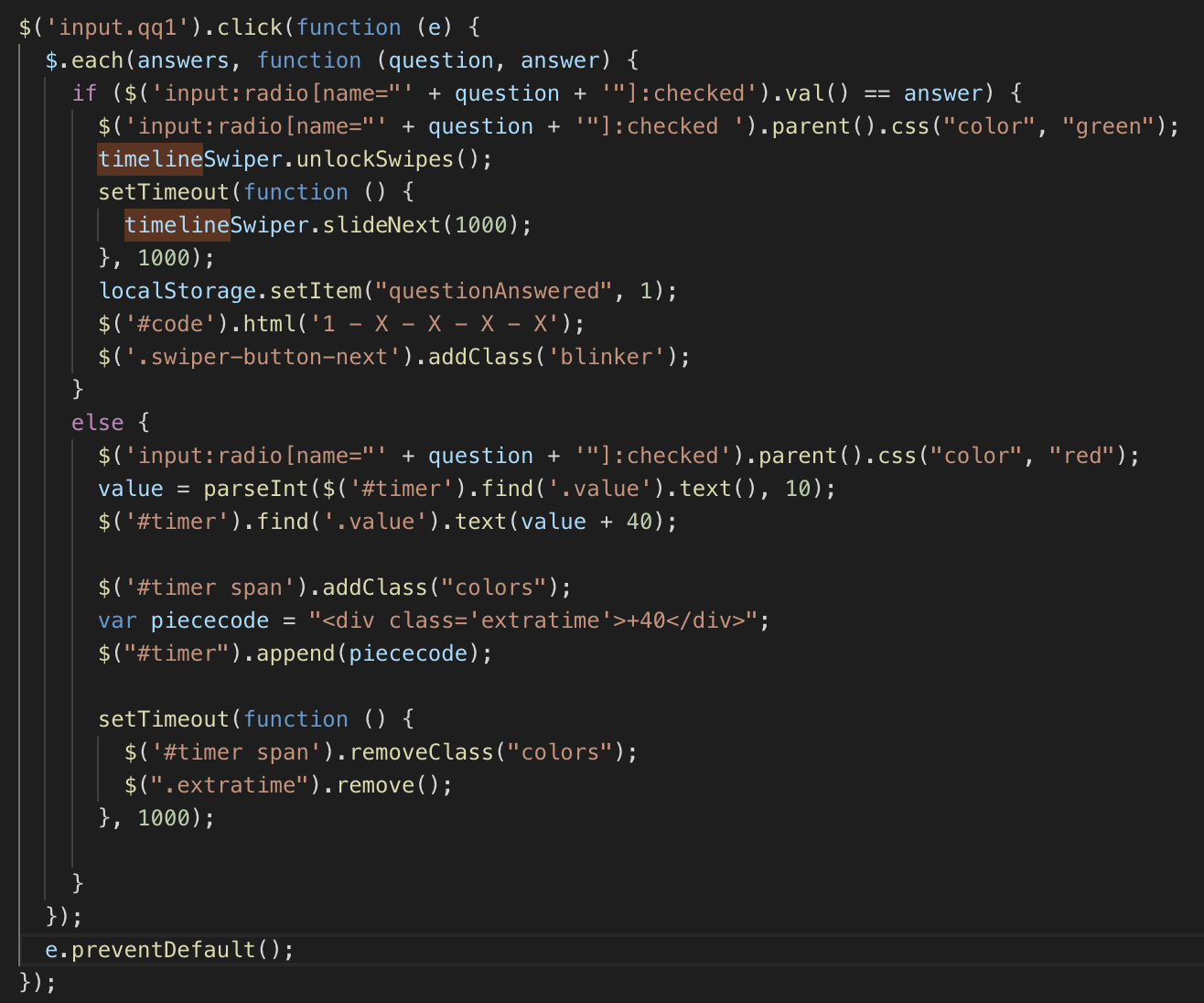
This is one of the functions for the first question. I want to immediately check if the question is answered correctly, so on input click i do $(each) for every answer. If this answer is correctly i’m setting the css “color” to “green”, and if it doesnt match the correct answer it becomes “red” and adds 40 seconds to time. I’ll tell something about the time in one of the next blogposts. Then i want to make the time span go red for a second. After it’s answered correctly it should unlock the slides and then move to the next slide automatically. Luckily there’s also a built in function in the framework.
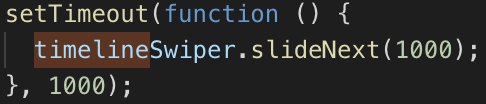
I want to not swipe immediately, but after 1 second. That’s why I use the function setTimeout. Those are the main functionalities for the slider. In the next blogpost I will cover the use of geolocation.
Website 1 (Inspiration)
Sinan Al-Defa'iWhen we decided that we want to use a webapp for our scavenger hunt idea, I immediately searched for inspiration and ideas about how we’re going to execute this.
After some research i proposed some ideas to the group about the look of the website. One of those ideas was to make a horizontal carousel/slider, where you can go through the timelines which we created for Enschede. This idea still had a lot of flaws which i’ll go through in the next blog posts. The group liked the idea, and we went with it. This idea looked something like this on mobile.
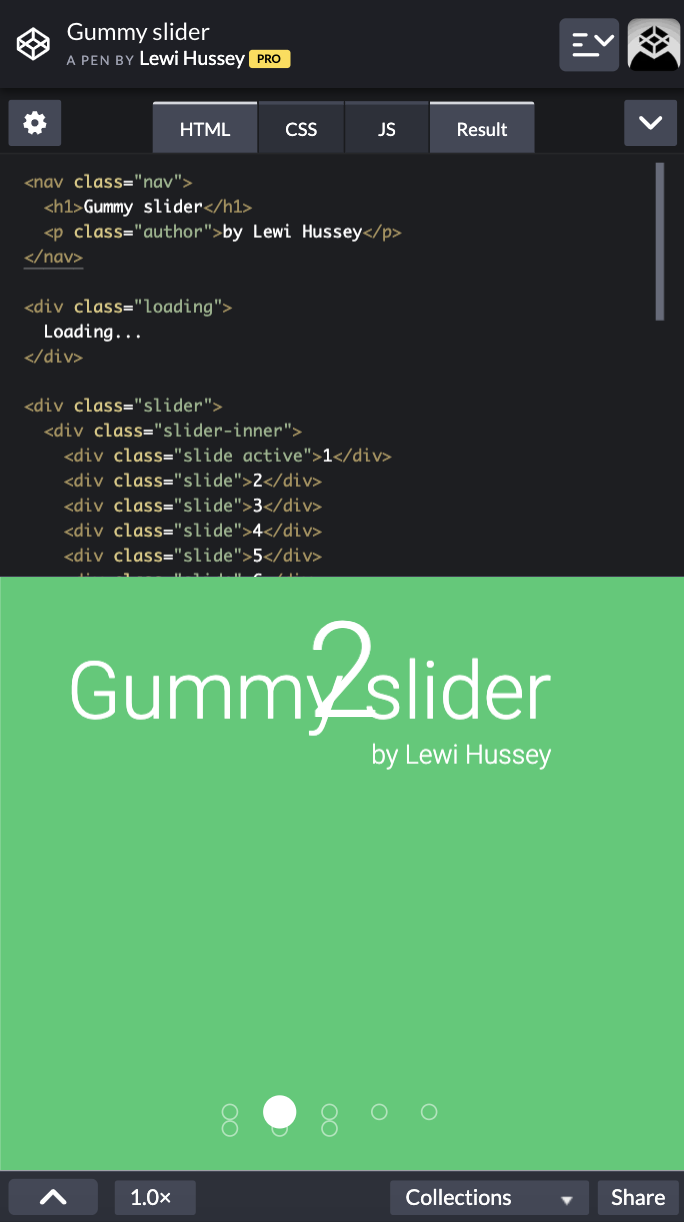
The design looked nothing like how we wanted it, but the functionality was the most important thing for now. I ended up using the idangerous Swiper framework. It has a lot of built in functionalities. In the beginning it still was alot of figuring out, but in the end there were alot of benefits to this framework.
 Team Impact