When we thought about the people walking through the city center of Enschede, there isn’t really a challenge. So we decided to add a timer. This timer should start when you stand in front of the installation and press the first button on the website. This timer should be visible at all times to see the time u have spent. You should also see the timer turning red when you answer the incorrect answer. I also want this timer to continue when you lock your phone and then continue. It’s also important to continue at the time you were before you refresh your page, or else you could cheat by resetting the time. Lets first show how we made a timer.
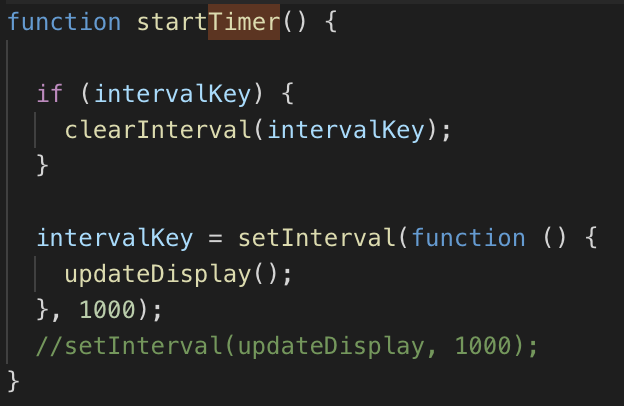
We then save this timer in a variable called value.
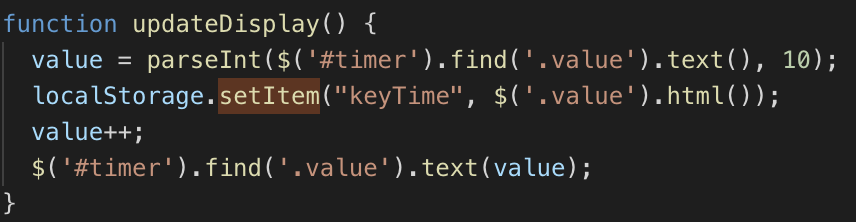
And after that we append this value to the div.
I did some research about the best way to save data locally on the device/browser. I looked into cookies and localstorage, and found that localstorage is better in this case. So now we also save the value in a localstorage. Now we always have access to timer if we need it.
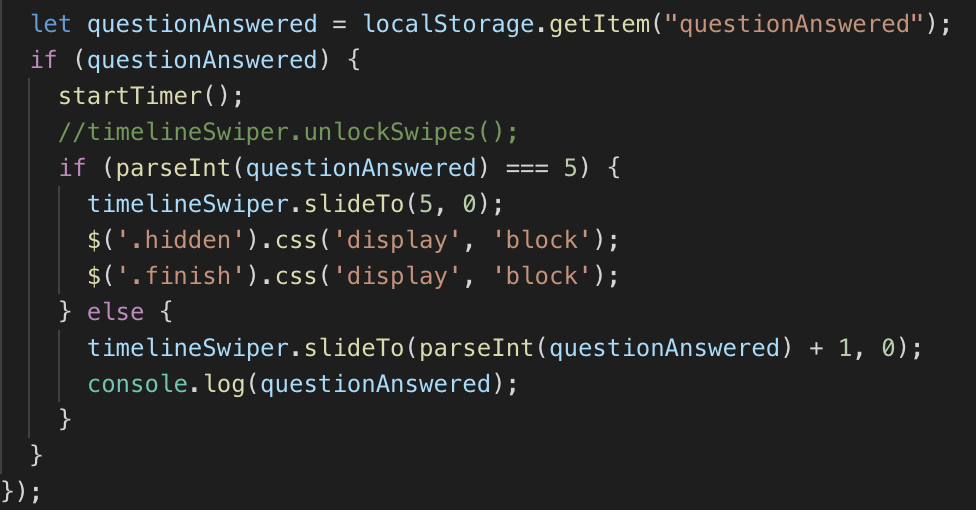
The same thing i do for the slider. Every time a new slide appears i save the index of the current slider in a localStorage. When searching through the API documentation i found that there is an easy method to get the current slide index. When te page reloads the timer and slide should automatically continue where it was before reloading .
In the next blogpost i will explain how i saved the timer in a database through PHP.
 Team Impact