As we described in the previous website blogpost I still had to check the user if he is at the right location before answering the question. The first problem i was facing was to how I get the user location. I tried different methodes including the Google API, but in the end there was something even better. It turns out you cant get someone’s location with the HTML 5 Geolocation function. It looked something like this.
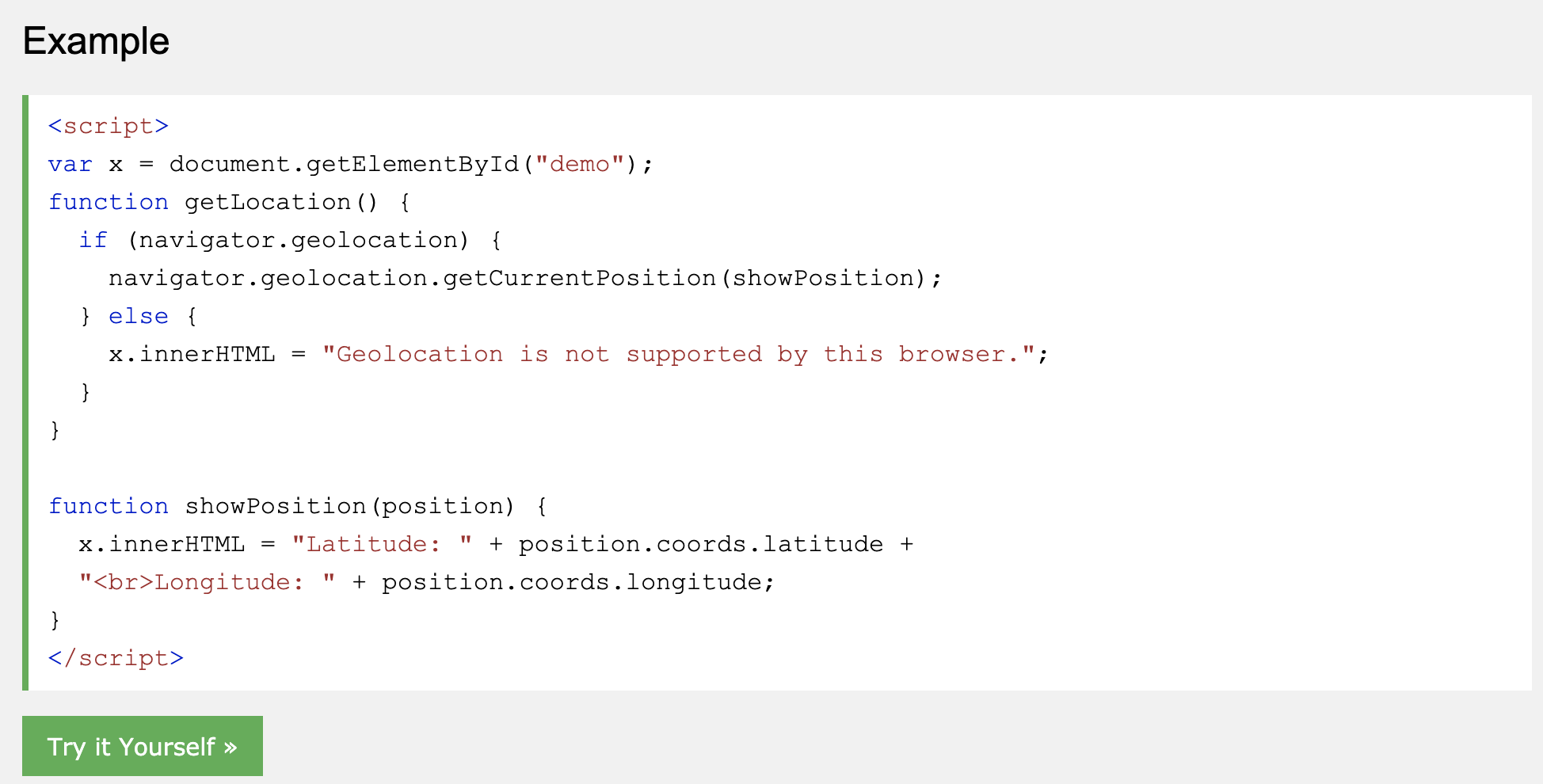
I had to change the showposition function to make add the long and lat to a global variable. This so i could get the long and lat everywhere, and i needed it later on in other functions.
Now that i got the long and lat of the users, i could compare it with the static longitudes and lattitudes. For example, I first had to get the exact location of the church (52.22141047907518, 6.895051449537277). This I could find in google maps. Then the last thing was compare the two. Unfortunately i had to write or find a function which could do that. After some research i found that there is a formula for that called the Haversine formula. I found alot of them and alot of them didn’t work. Until i found one that did work.
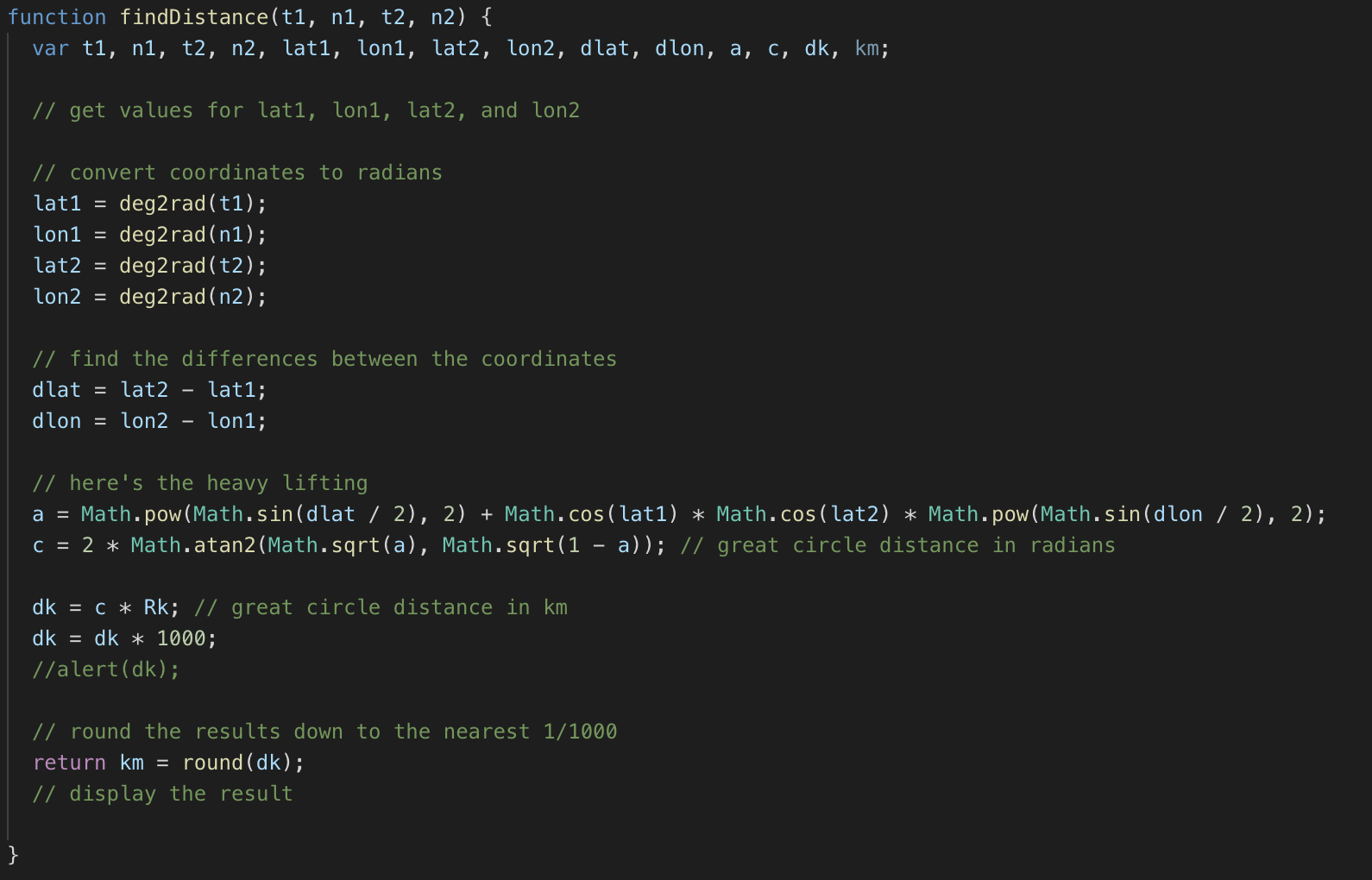
You had to give these 4 parameters to the function and it would return the distance in km. Which i then could multiply by 1000 to get in meters. Now i could just use the function to check if the user is 30 meters in reach of the church for example.

I made a button in every slide to check if the user is in reach.
In the next blog post i will talk about the Timer and saving it in a local storage.
 Team Impact