Because of the fact that we wanted to use the idangerous swiper slider like you saw in the previous website blogpost, there were alot of functionalities to program. At this time i didnt know which ones i had to write myself and which one were built in. So the first problem we had was that there were multiple questions. We figured we wanted to do it so that you cant continue with the other questions untill you had answered the previous question correctly. You also shouldn’t be able to answer the question untill you are at the specific location. But i’ll cover that in the next blogpost. First thing i had to do right now is to lock the sliders and only make them unlocked when there is a button pressed. At first i tried to set the “display” of the arrows to “none”. But i soon found out that the default css of the slider overrides that and doesnt let you do that. So i checked the documentation of the slider and checked if there was a function to disable the slider arrows. https://idangero.us/swiper/api/ . After a lot of trying and asking Boris, i figured out how to lock the slider. Now i could move on to the next part. And that was to make the right answer to questions unlock the slider.
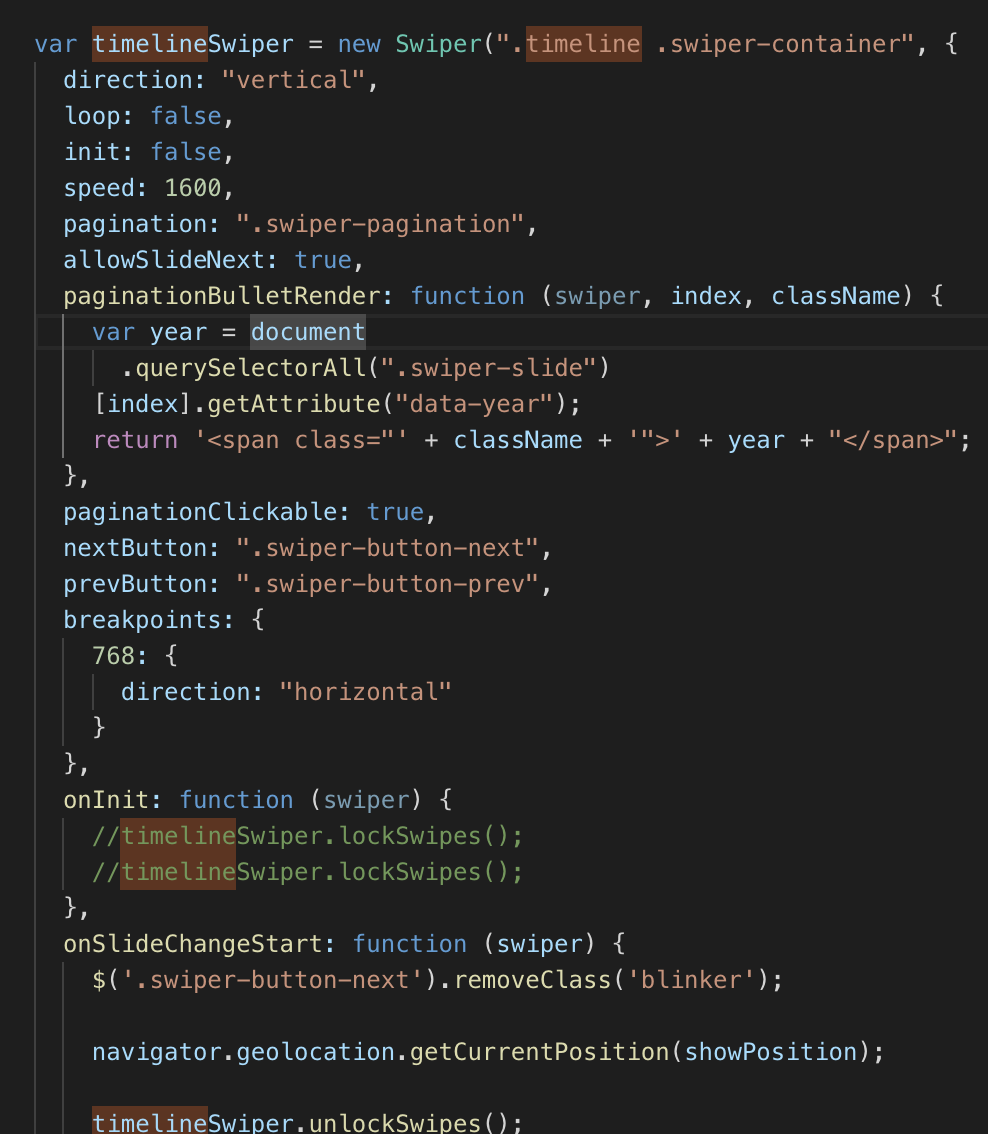
After initializing the slider and locking the slides, I made the questions on every slide. Then I made the quiz.
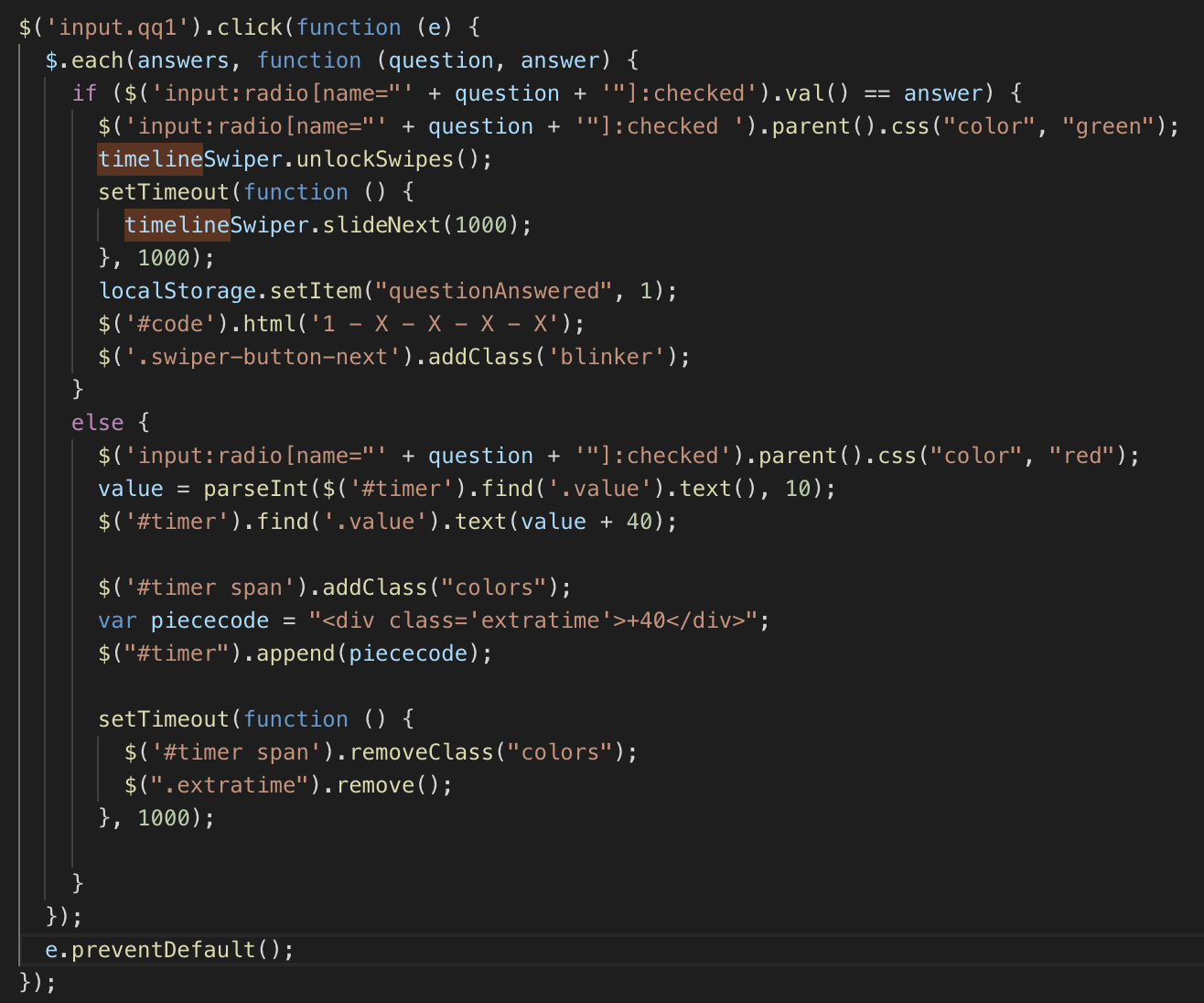
This is one of the functions for the first question. I want to immediately check if the question is answered correctly, so on input click i do $(each) for every answer. If this answer is correctly i’m setting the css “color” to “green”, and if it doesnt match the correct answer it becomes “red” and adds 40 seconds to time. I’ll tell something about the time in one of the next blogposts. Then i want to make the time span go red for a second. After it’s answered correctly it should unlock the slides and then move to the next slide automatically. Luckily there’s also a built in function in the framework.
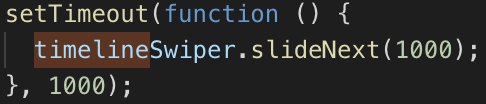
I want to not swipe immediately, but after 1 second. That’s why I use the function setTimeout. Those are the main functionalities for the slider. In the next blogpost I will cover the use of geolocation.
 Team Impact